A Video "Accordion" that greatly reduces the space taken up by inactive videos
We explained on
another page how to put several videos on a page, but only have one playing at a time. It's certainly an improvement on a simpler arrangement that allows any number of the videos to play simultaneously, but it has disadvantages when you want to show a lot of videos.
So we designed another scheme inspired by the way that audio pages such as Bandcamp provide access to a bunch of audio tracks:
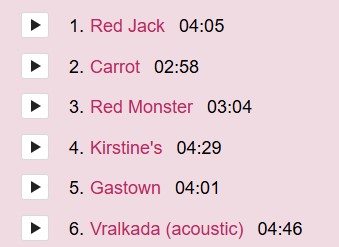
A video version of this is a bit more complex because when a visitor hits a "Play" button, they expect not just a soundtrack, there should be a video as well. So we made it so that a panel containing the video drops down.
A feature of this system that sets it appart from others, is that loading in of each video is delayed until just before playing starts instead of having to wait for them all to load. It also saves screen real estate, although it sacrifices the "thumbnail" of each video that the user can see before playing.
The main code for this page:is further down but here's some notes on how it works:
- It uses the YouTube Embedded Players API which has two closely related modes
- Using usual Youtube IFRAME code and applying code to it
- Using the API to build an IFRAME programatically. We chose this route
- We use placeholders such as
<div class="panel" id="3" data-ytvideocode="gxryxSC4sWw"> in the HTML for each video/panel.
- On loading the page, we call
InitialiseYoutubeAPI which eventually calls onYouTubeIframeAPIReady
- When the user opens a fold of the accordion, we find the
panel element, initiate a player object for it and call players[ThePanel.id].playVideo();
- When a user starts a different video/panel playing, the code pauses the previous one with
players[ThePanel.id].pauseVideo();
- We also keep the active video scrolled into view with
ThePanel.scrollIntoView({behavior: "smooth", block: "center" });